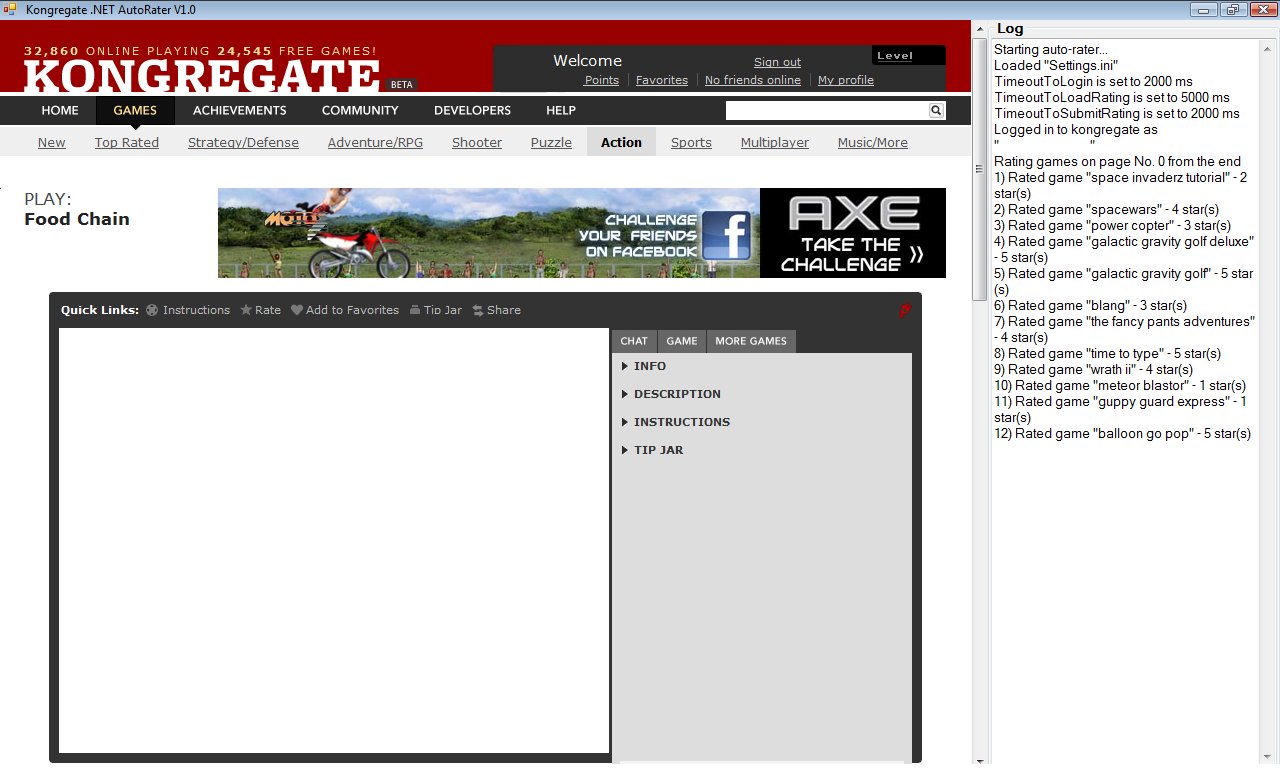
Kongregate .NET AutoRater
Inspired by praetor's Kong VBS AutoRater I've made my own application(written on C#) with some improvements.
Requirements:
1) It is .NET application, so .NET Framework v2 or higher should be installed.
2) You should have IE browser installed. I've tested it on WinXP SP3 & IE 8, but it supposed to work with older OS and browser versions (at least WinXP SP2 and higher, IE 6 and higher I think). Report me if I'm wrong.
3) Program is using MSXML2 library V3. It is included into package, so there should be no problems. Report me if I'm wrong.
How it works
Program algorithm is similar to Kong VBS AutoRater , but there are improvements:
1) Program goes from the oldest games (http://www.kongregate.com/games?pdis=q5 ... &srid=last) to the newest to ensure absolutelly all games to be rated finally.
It loads last page, rate games on it (which are not already rated), go to the previous page, etc.
2) After stopping work (rate limit reached or user closed application) program stores No. of page next to last rated page (No. is measured from the end of course) instead of storing already rated games.
I know this is hardly understandable (broken image removed), but it is needed because new games are added to kongregate regullary and older games are moving on pages (even if measure from the end):
disadvantage: redundant loading up to 29 flash games which were already rated (up to 33% of program runnning time is useless). It is about 2 minutes with default settings, so I think it is not critical.
advantage: after several days (~25000 games on kongregate for today / 50 ratings per day = 500 days max in case that you have never rate a game) finally you will have absolutelly all kongregate games rated.
BTW Program stops when server reports that rate limit is reached, so I suppose it to work correctly even if kongregate admins change 50 per day to 40 per day for example.
3) Program writes every step to log while it is running (I suppose one-sesion log is enough for such program). So you can see what it is doing.
4) Program has TimeoutToLogin, TimeoutToLoadRating, TimeoutToSubmitRating settings (file Settings.ini). All they are in miliseconds. Default values were tested for my 12 Mbit/s connection with no internet programs running. Change that values if you have low-speed connection.
With too small TimeoutToLogin program will not login (broken image removed), with too small TimeoutToLoadRating program will rate again already rated games (update rating) and with too small TimeoutToSubmitRating program will report that rate limit reached before it is really reached (50 per day for today). So choose values wisely (broken image removed)
5) And of course program has auto-login if IE is not already logged in to kongregate (don't forget to change values in file Settings.ini).
All suggestions and bugreports are wellcomed.
Great thanks to praetor and his Kong VBS AutoRater.