HTML 5 Local Storage Explorer
Get the Firefox addon here: https://addons.mozilla.org/en-us/firefox/addon/foundstone-html5-local-storage/
This addon will allow you to modify data stored by HTML 5 apps/games. Usage is pretty simple but I'll explain it anyway...
If you can't see your Firefox menu, press the Alt key and go to Tools > HTML 5 Local Storage Explorer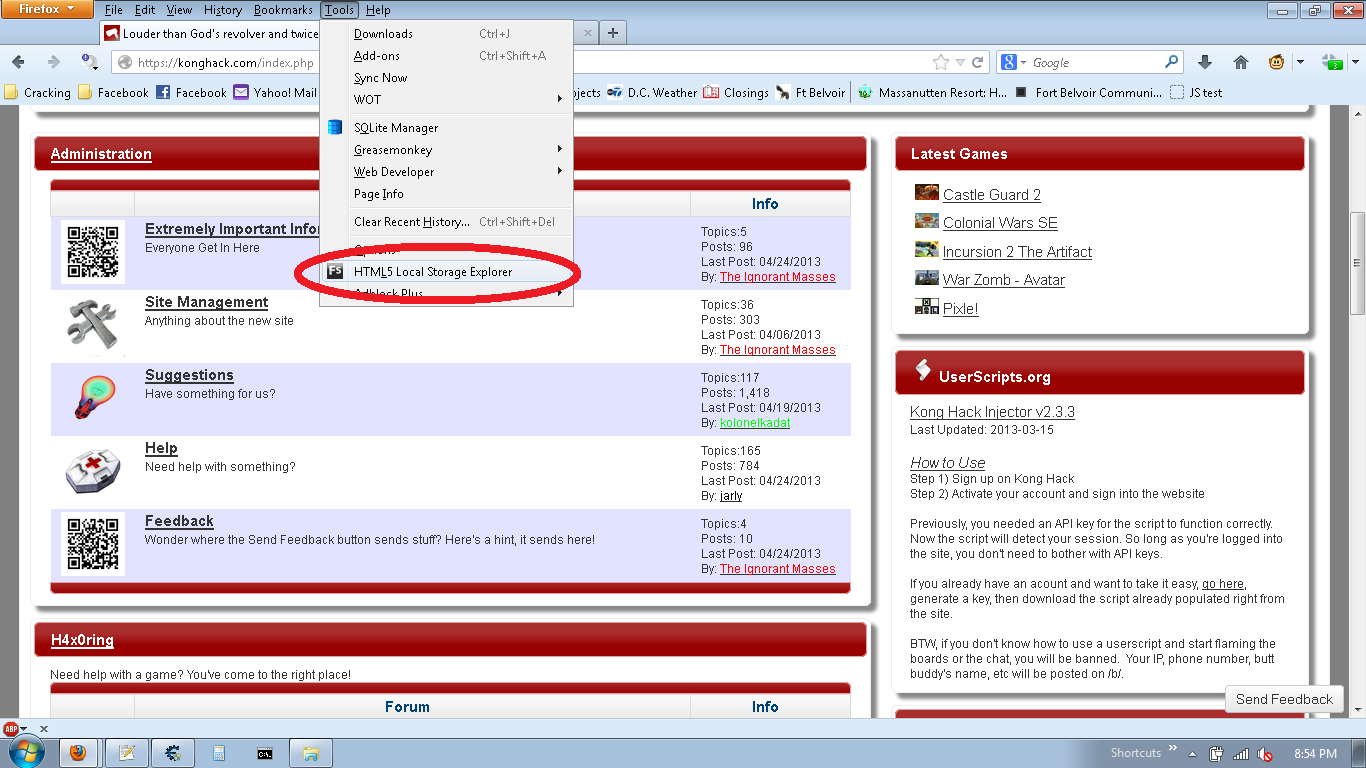
Double click on the values you want to change.
Make your changes and click Save, then Close.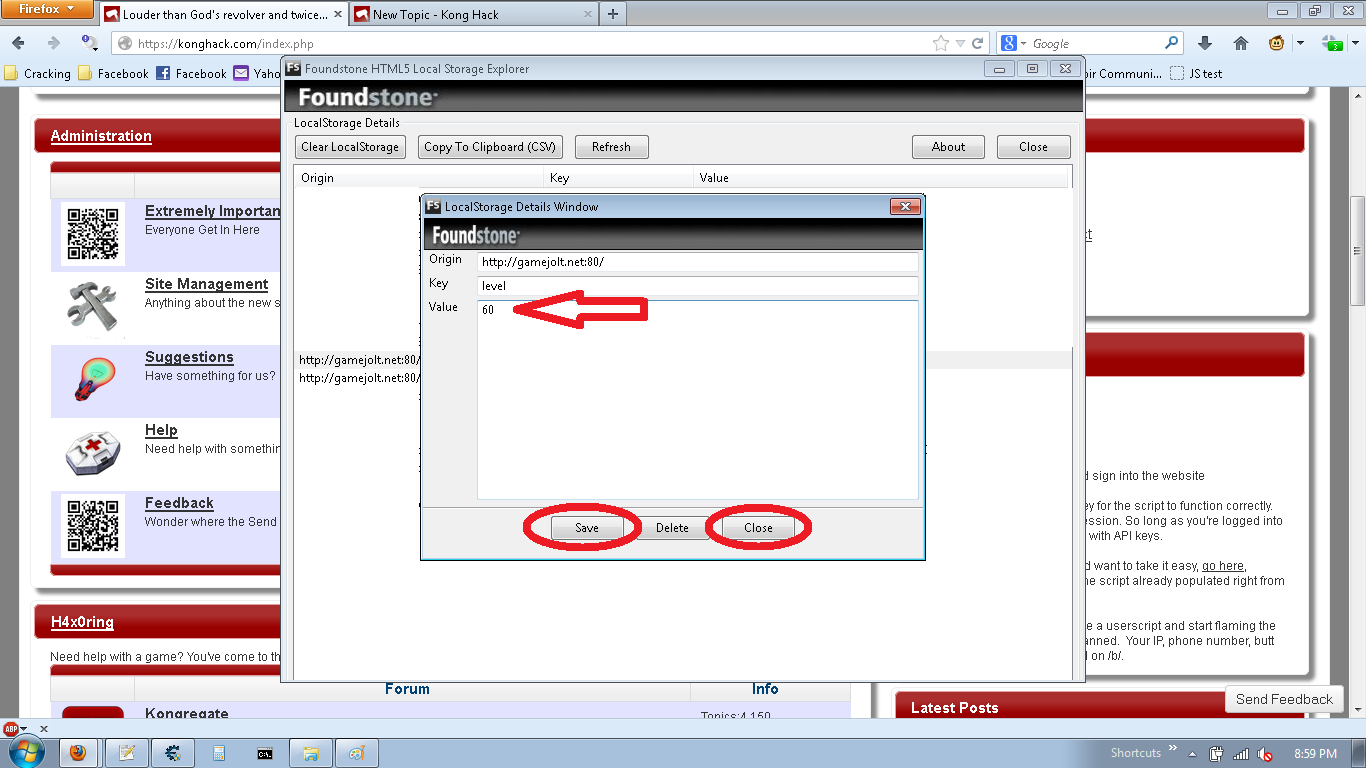
Close out of HTML5 Local Storage Explorer and refresh.
Enjoy!
Also, if anyone is wondering...the information is stored in the following location:
C:\Users\\AppData\Roaming\Mozilla\Firefox\Profiles\.default\webappstore.sqlite
You can also edit it the file with a SQLite database manager like SQLite Manager (https://addons.mozilla.org/en-us/firefox/addon/sqlite-manager/). Although HTML 5 Local Storage Explorer is a lot more user friendly.
Chrome and Safari users can edit striaght from the brower.
Here's the steps for Safari Users....
Load the game.
Right click somewhere on the page (not on the game) and select "inspect element".
Click the "resources" tab and close the "frames" folder.
Open the "local storage" folder if it is not already open and select "gamejolt. net"
Click on the "died" value and set it to something high enough that you wont get a high score. (500+)
Click on the "level" value and set it to 60.
Reload the page and play the last level. - You should automatically get both badges.
