Guide on how to use KHUT with M:AA
After getting our own shiny M:AA forum, people have been complaining that the hack links have vanished and don't know how to gain access to them again. Or they are unsure on how to configure KHUT (KongHack Ultra Trainer) to easily run the M:AA hacks.
So here's a step-by-step picture guide on how to.
1. Download and install KHUT, then login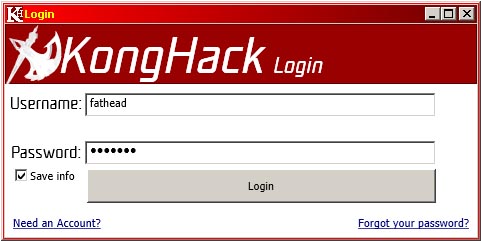
2. Click "Manual Search"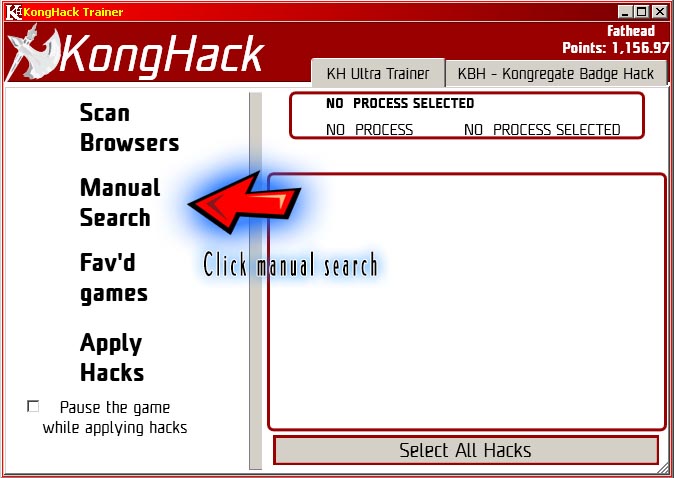
3. Search for the game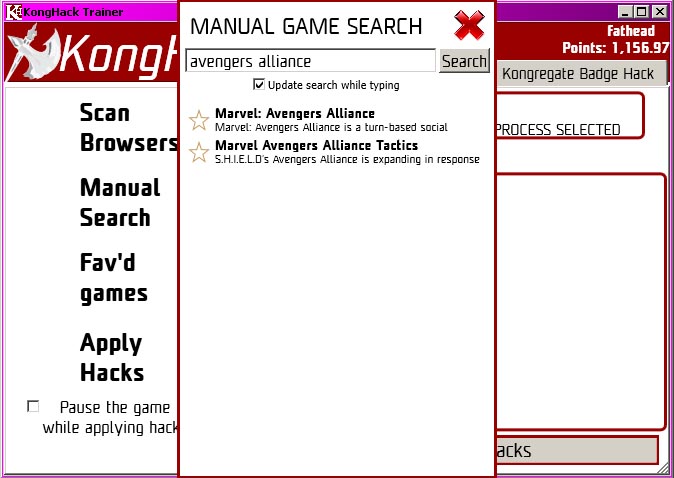
4. Click the yellow star next to the game name to favourite it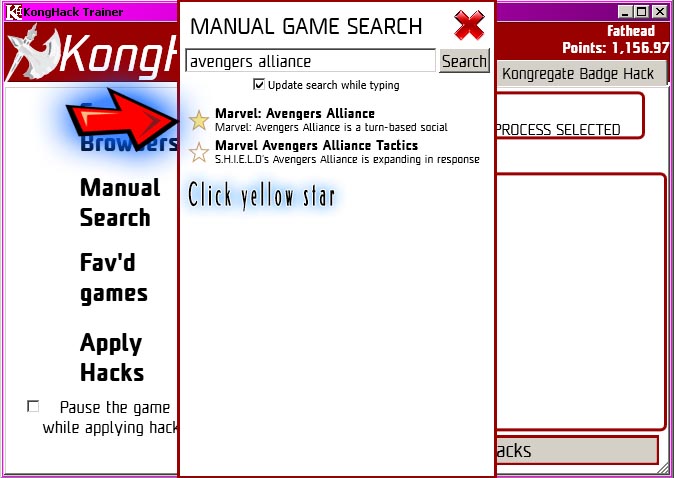
5. Click "Fav'd games" and double click Marvel: Avengers Alliance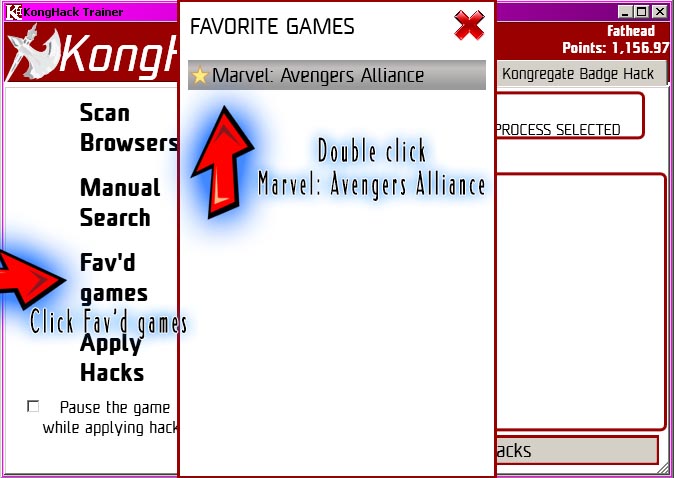
6. Select the browser process, then click the hacks you want to use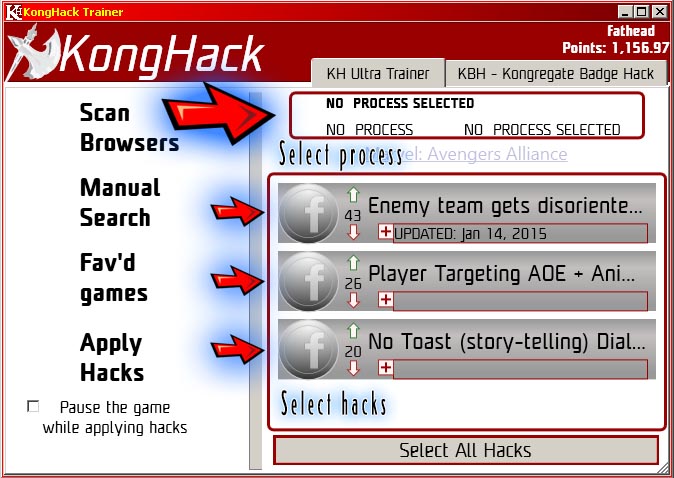
7. Click "Apply Hacks" and cheat away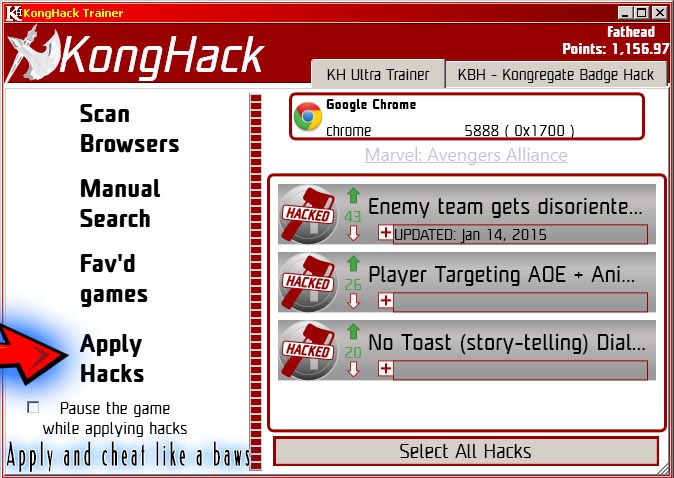
8. Next time you need to use the hacks, run KHUT, login and follow steps 5 to 7.
Easy peasy lemon squeezy, ya'll
Problem: KHUT doesn't start, or gives me all sorts of shitty errors. Wtf man, halp!
Solution: You're probably missing vital compenents needed for the app to run. Follow the instructions found here: https://konghack.com/topic/8871-konghack_ultra_trainer
Problem: When I click apply, the hack says "Failed", omg wtf!? Fix!
Solution 1: You have chosen the wrong process. Some browsers open multiple processes, and you may have to manually sift through them to find the right one.
Solution 2: If you have multiple tabs open in your browser, then the hack may not be able to locate the active tab running the game. Open a new tab and run the game, then apply the hacks before opening any other tabs. If all else fails, restart the browser completely and start the game as the only running process.
Problem: I'm using Netscape browser from 1987, KHUT keeps failing to hack it
Solution: Stop being stupid and use a supported browser.
Problem: My problem isn't listed here, WTF YOU NOB, HALP
Solution: Dude, chill. Explain your problem and we'll see if we can halp. Err, I mean help.