Skip to content
Locked [Information]

Charles Tutorial For Noob Like Me! :)

STep By STep Tutorial

25 posts

Charles Tutorial For Noob Like Me! :)

Posted Sep 16, 2015 6:00 am

First Download Charles Web Proxy. Go Here To Download.


Lets Start:

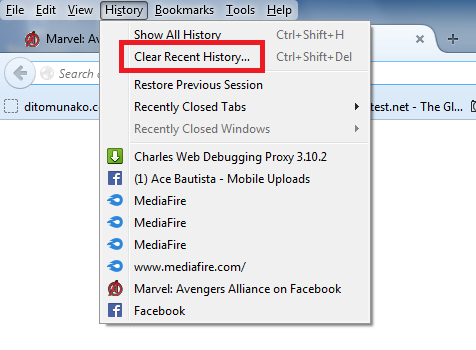
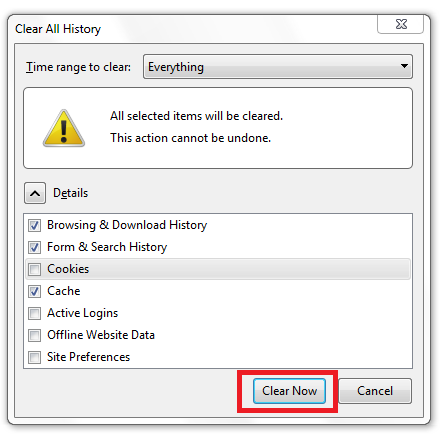
1. Clean Your Web Browser Cache. In My Case I Use Mozilla.


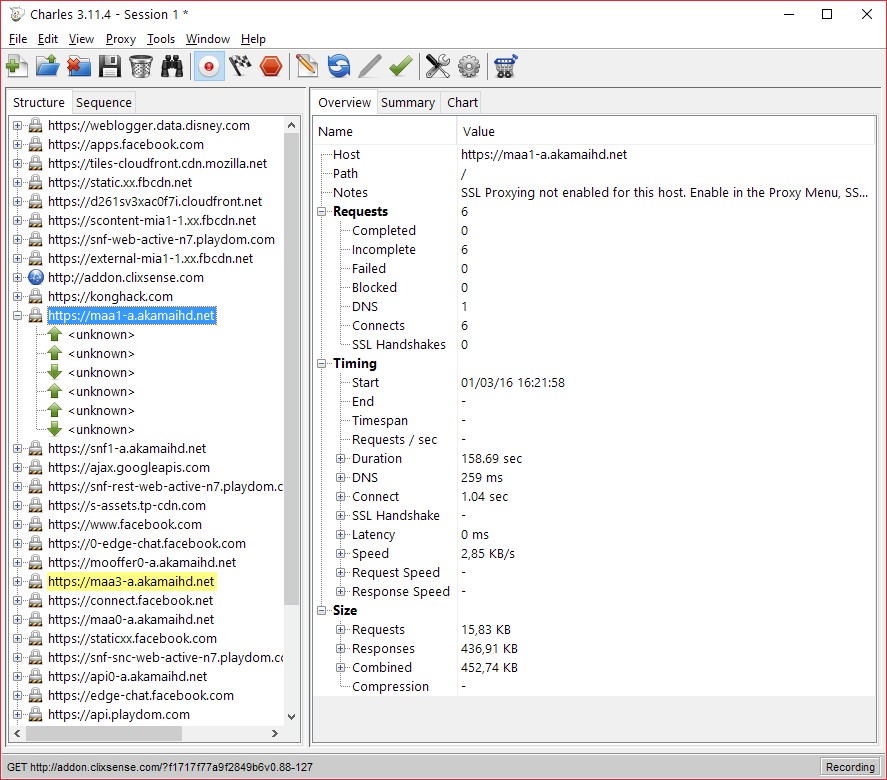
2 Close Your Browser And Open Charles and Open Your Browser Again. Load Your Marvel Completely and Find Your Marvel Server Number.
a)) Right Click Your Client.xml and click Map Local
b)) In Edit Mapping (Local Path) Locate Your Edited Client.xml and click Ok.
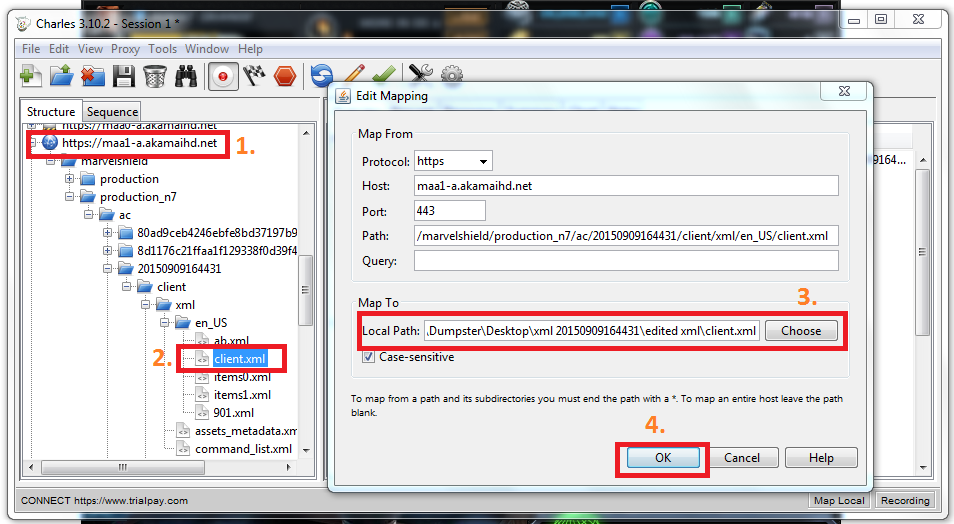


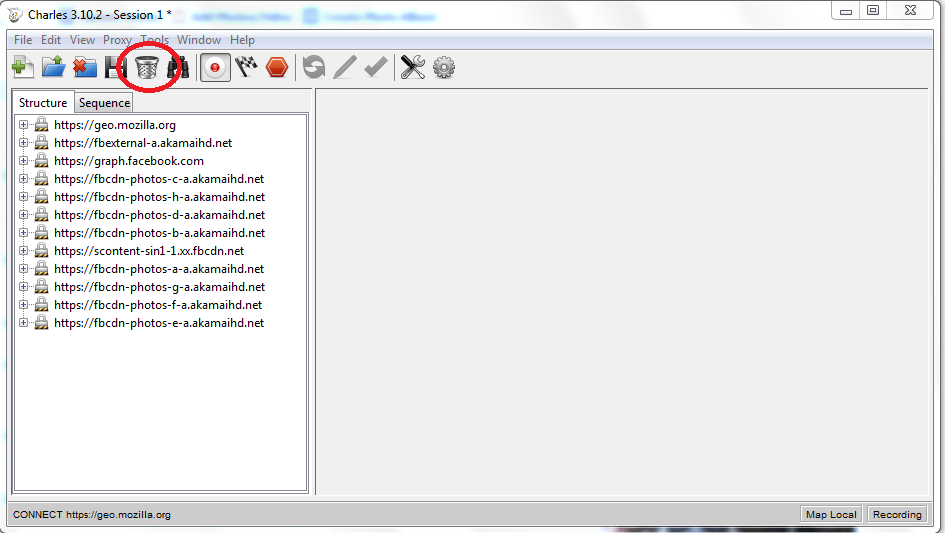
3. Clean Your Web Cache Again And Then Close, But Dont Close Charles. Open Your Browser Again And Load Your Marvel Completely. Hit Charles Recyclebin To Clear The Current Session


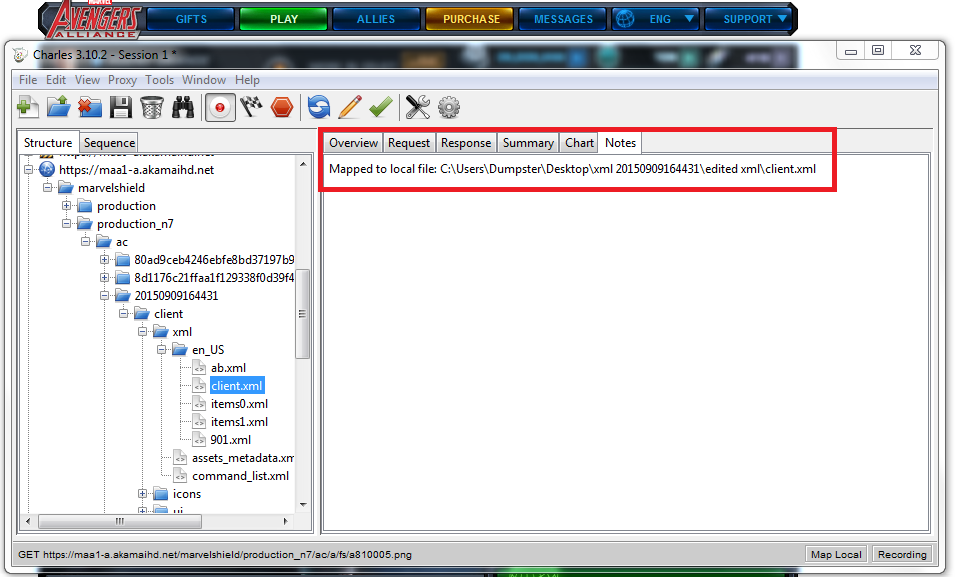
4. Your Done! Look Again Your Client.xml If It is Mapped To Local File.


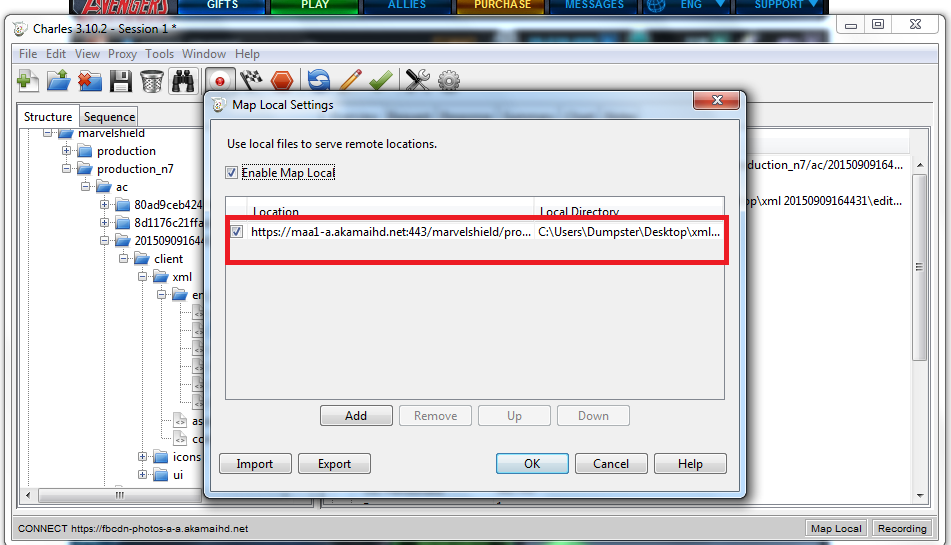
5. Go to Maa Hax Easy Win Thread To Learn More!
i) You can Also use KHUT With Charles At The Same Time!
 

RE: Charles Tutorial For Noob Like Me! :)

Posted Sep 16, 2015 11:01 am

this is not a warez site. please refrain from posting links to pirated/cracked/stolen software.

I use this AoB tool to make all the AoBs I post. Try the online version if you dont feel like downloading it.
"Obviously, windows are central to Windows. They are so important that they named the operating system after them. But what is a window?"

RE: Charles Tutorial For Noob Like Me! :)

Posted Sep 19, 2015 12:34 am

On another note, fiddler can also work. Use the auto responder feature to direct traffic there.

Federation top zombie killer in a not-so-legit way. Inventor of the holy hand antidode that instantly kills zombies and any spawns. IGN: ZombieKillSpree2, although that won't be the player you see, but its the kong profile I operate from.

RE: Charles Tutorial For Noob Like Me! :)

Posted Sep 27, 2015 2:55 am

Ok..I am using charles for 1year  now , never had problems and never changed something in the program. Now I tried to download the new xml files, charles block , I restart charles and the browser  but got a surprise: cowoon does not recognize proxies anymore. I deleted the coowon browser, tried to instal it again but surpriese I canot download it because got a security warning telling me the site is dangerous ( the official site) but bypass the warning tried to download it , the download stuck at 99 %. Figure it out and downloaded a zip file from a site but does not want to instal like that either..WT hack happen with my computer?

RE: Charles Tutorial For Noob Like Me! :)

Posted Nov 30, 2015 1:55 am

someone pm me about MAA charles problem.. i think this is the solution:

1) Download and Install Charles

2) Install Charles Certificate for FireFox or Chrome

If FireFox:

Open Charles and go to Proxy -> Mozilla Firefox Proxy from the toolbar, and click Install. And then restart Firefox.

If Chrome:

Open Chrome 
Go to Options -> Settings from the toolbar.
Click 'Show advanced Settings...' 
Navigate down to 'HTTPS/SSL' and click 'Manage certificates...'

Go to the 'Trusted Root Certification Authorities' from the submenu.
Click Import
When it asks you what file to import:
Find 'charles-proxy-ssl-proxying-certificate.crt' and import it.
(( The file can be found from C:\Program Files (x86)\Charles\doc (or wherever you installed Charles) ))

3) Enable SSL Proxying for MAA:

Open Charles
Go to Proxy -> Proxy Settings...
On Proxy Settings, click 'SSL' from the submenu.
Check 'Enable SSL Proxying'

and then in the 'Locations' area, click 'Add' and add these Hosts:

*.playdom.com
*.akamaihd.net

(just leave 'Port:' blank)

Now, you are done.

This topic is locked.